Welcomed by name
A warm, personal greeting the moment your patient sits down — first name, initials or a code, as you prefer.

Early access for dental practices
SmileStream turns the TV in every operatory into a calm, personal screen. It greets each patient by name, plays your practice’s own channel between visits and patient-education films on demand — all sent from a phone.
For Samsung smart TVs · No patient records involved


How it works
Open SmileStream on the operatory’s Samsung TV and scan the code it shows with your phone. Choose the room — that TV is ready.
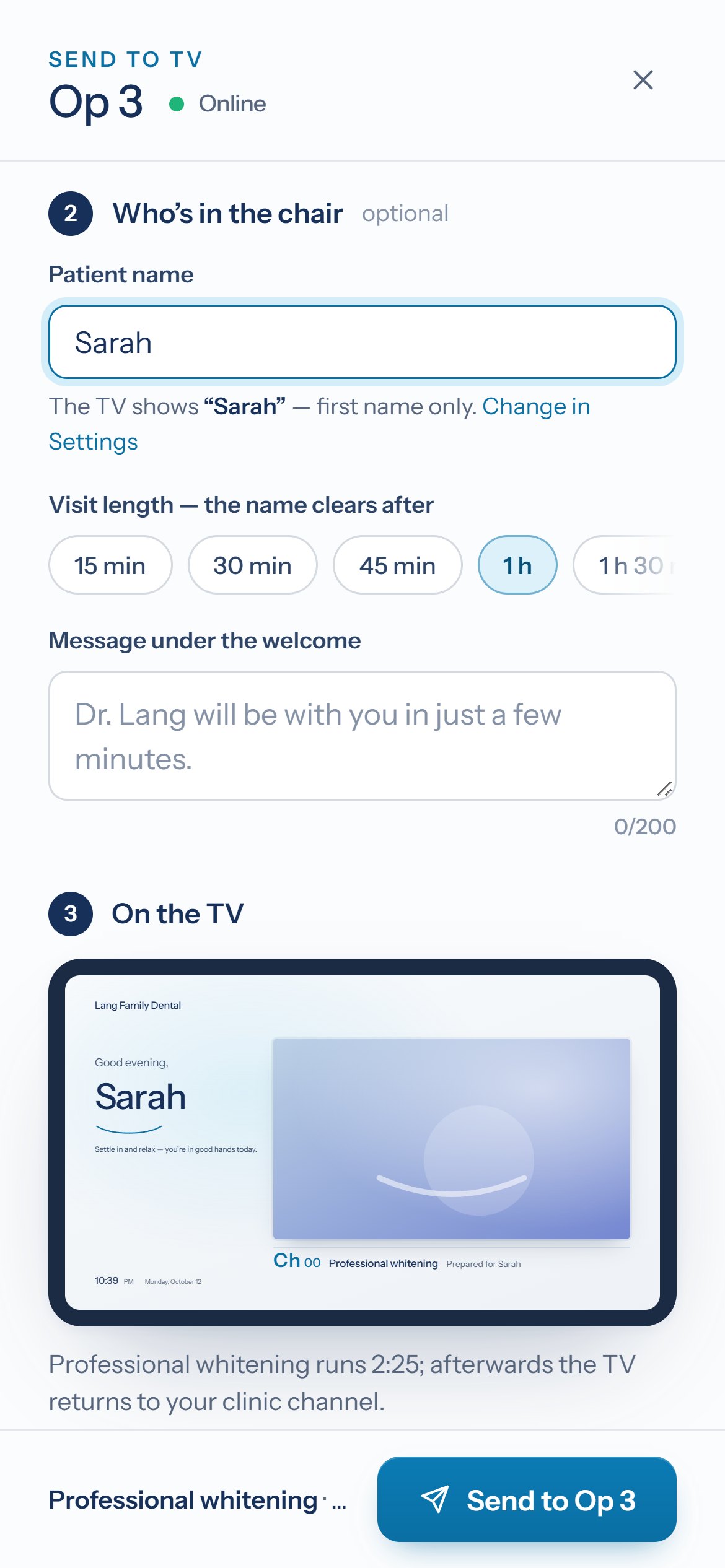
Pick the room, type the patient’s first name and choose a film or playlist. A live preview shows exactly what they’ll see.
It greets the patient by name, plays their film and says goodbye when the visit ends — then returns to your clinic channel.
What it does
Designed for the chair: calm motion, legible from across the room, and nothing a patient has to figure out.
A warm, personal greeting the moment your patient sits down — first name, initials or a code, as you prefer.
Between visits every TV plays your practice’s loop: your team, your story, your services. Add numbered channels for treatments.
Calm, clear films organized by treatment. Staff open the library with the remote and play the right one in seconds.
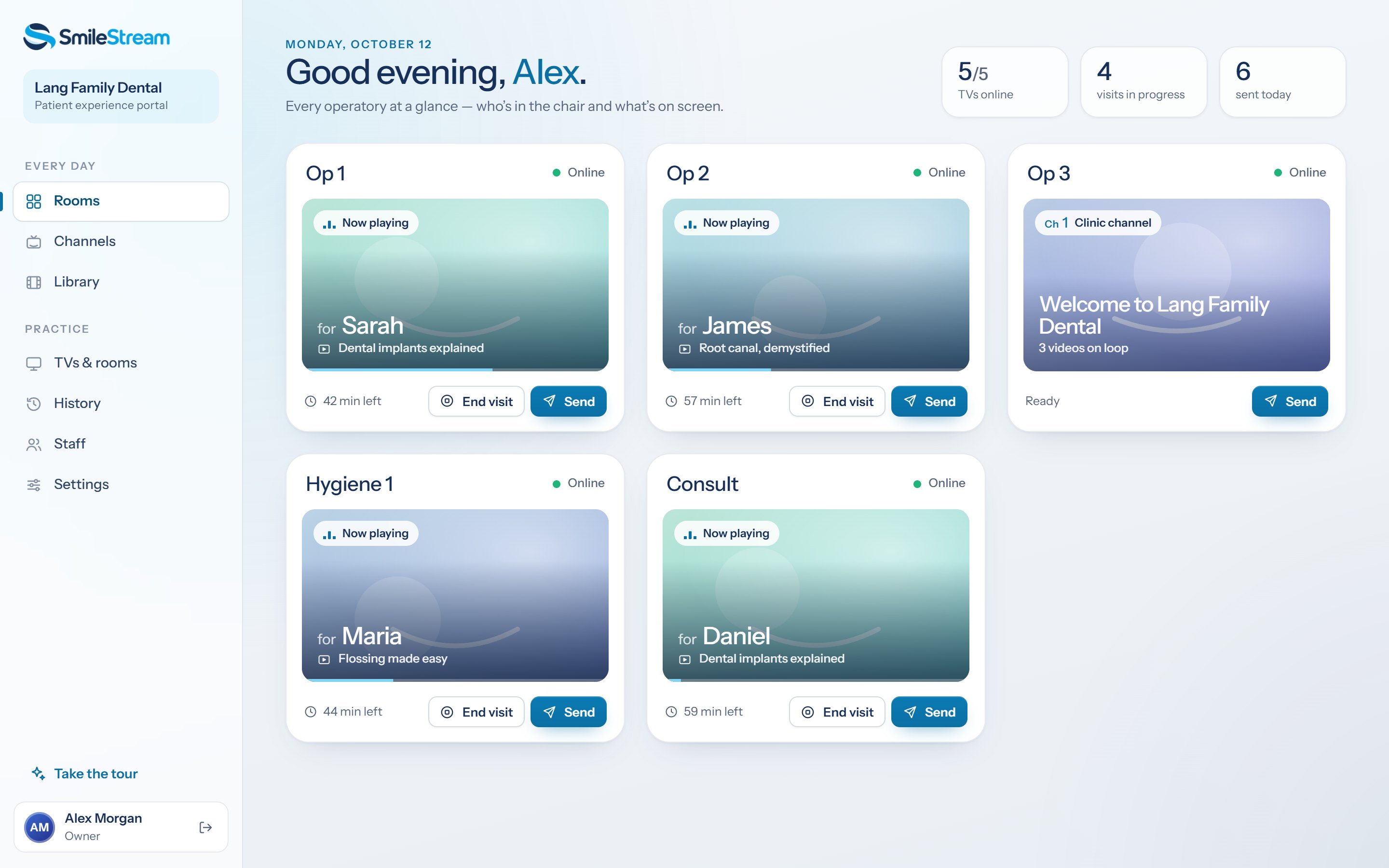
A live board shows each operatory: whether its TV is online, who’s in the chair and what’s playing. End a visit with one tap.
Your logo, color, tagline and greeting on every TV — previewed live before you save.
Staff use the TV’s own remote; everything else happens from a phone or the front-desk computer.
The portal
Your team sees each operatory live and sends a welcome in seconds — from the front-desk computer or a phone in their pocket.
Privacy by design
Each practice decides how much of a name the TV shows: first name, initials or a code — full names only with the patient’s consent.
Names are shortened before they’re stored and erased automatically after 24 hours.
SmileStream doesn’t connect to your practice-management software and never sees charts, appointments or insurance details.
Questions
Samsung smart TVs from 2018 onward. During early access we install the SmileStream app on your TVs with you and check each model first.
No. Staff send the welcome and hold the remote; patients simply sit back and watch.
A Samsung smart TV in each operatory, Wi-Fi or Ethernet for each TV, and a phone or computer for your team.
The TV shows only as much of a name as you choose, names are erased automatically after 24 hours, and SmileStream never connects to your patient records.
Help installing the app on your TVs, the full SmileStream portal and TV app, and a direct line to the team building it. We’ll walk through the details on a short call.
Early access
We’re opening SmileStream to a small group of practices first. Tell us about yours and we’ll reach out to plan your setup.
We’ll be in touch shortly to plan a short call and talk through your TVs.